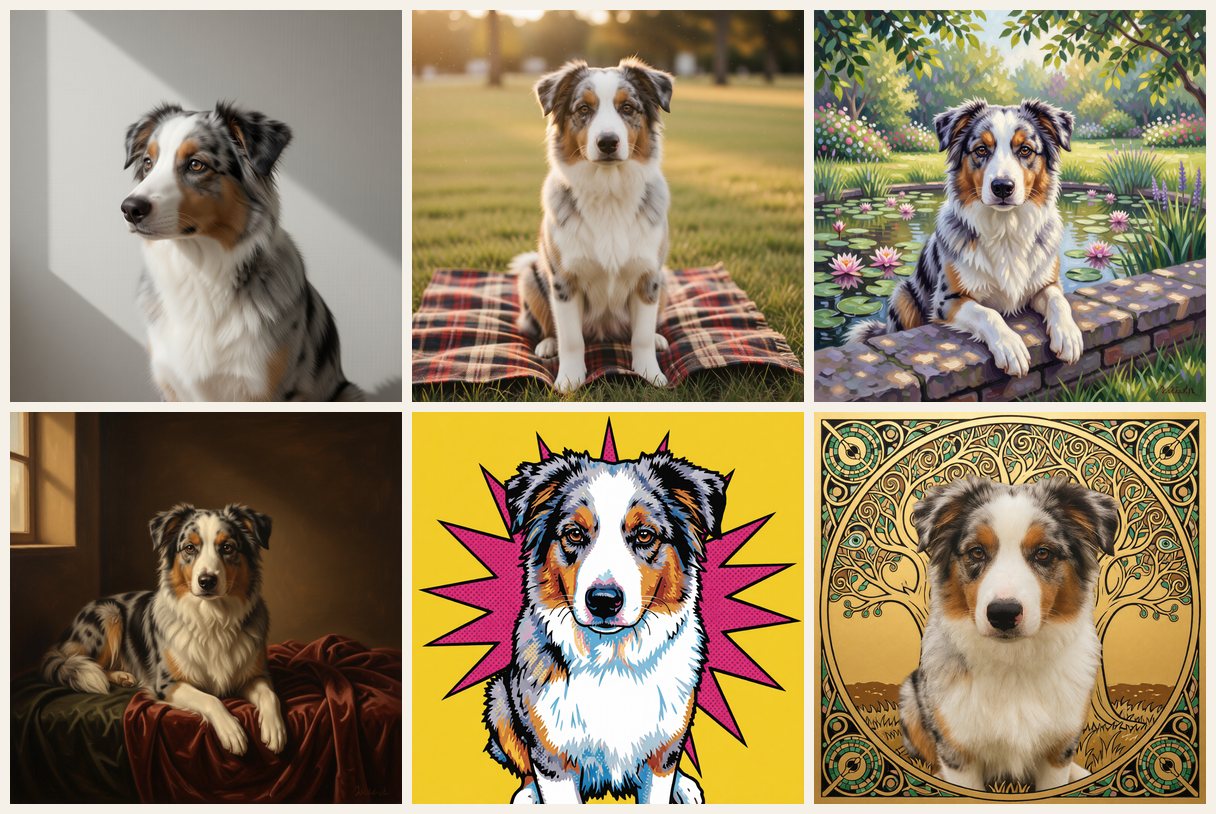
Direct Your Pet's Portrait: Pick the Style, the Background and the Pose
One photo, many directions. Choose a style, then a matching background and pose, and see which combinations actually change the picture.
PetMona's Pet Portrait Studio lets you choose a style, a background and a pose for your pet's portrait. Twelve styles each offer five backgrounds and five poses; the choices are combined into one generation brief, and the preview is free.
Most pet portrait tools give you one button: pick a style, wait, hope. That works until you know exactly what you want — your cat on a green velvet drape, your lab in a sunny meadow, your terrier peeking over a garden wall. PetMona's Pet Portrait Studio adds the missing steps: after you choose a style, you can also choose the background and the pose, and all three become one generation brief.
Three choices instead of one
- Style — the way the portrait is made: Renaissance oil, watercolor, pop art, Art Deco, Monet garden and more. Twelve styles have Studio options today.
- Background — five curated scenes per style, written to suit that medium. A watercolor gets paper washes and autumn leaves; a Golden Age portrait gets a candlelit chamber or a stone niche.
- Pose — five poses per style, from a calm seat to a side profile, lying down, or peeking over a ledge.
Your photo still decides who is in the picture — face, markings, coat colour and expression stay yours. The Studio only decides what surrounds them and how they sit. Everything is optional: skip it and you get the style's own default scene, exactly as before.
Same dog, same style, four backgrounds
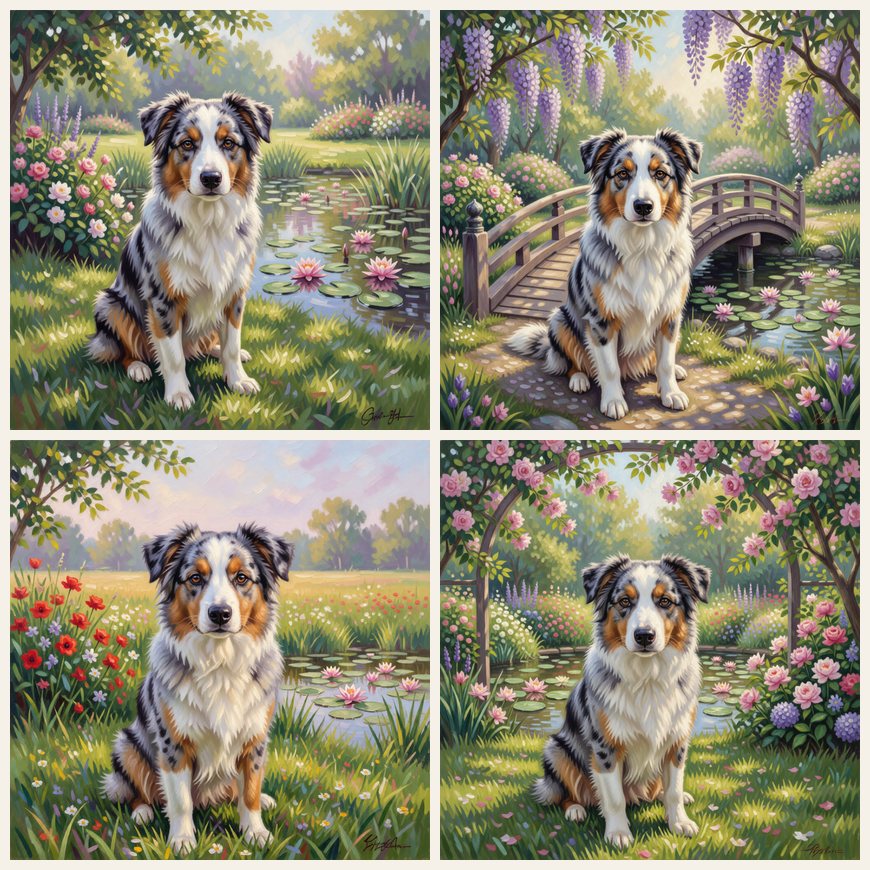
This is the part that makes a portrait feel chosen rather than assigned. The medium stays consistent — the same broken brushwork and dappled light — while the place changes the mood completely.
Poses that actually change the picture
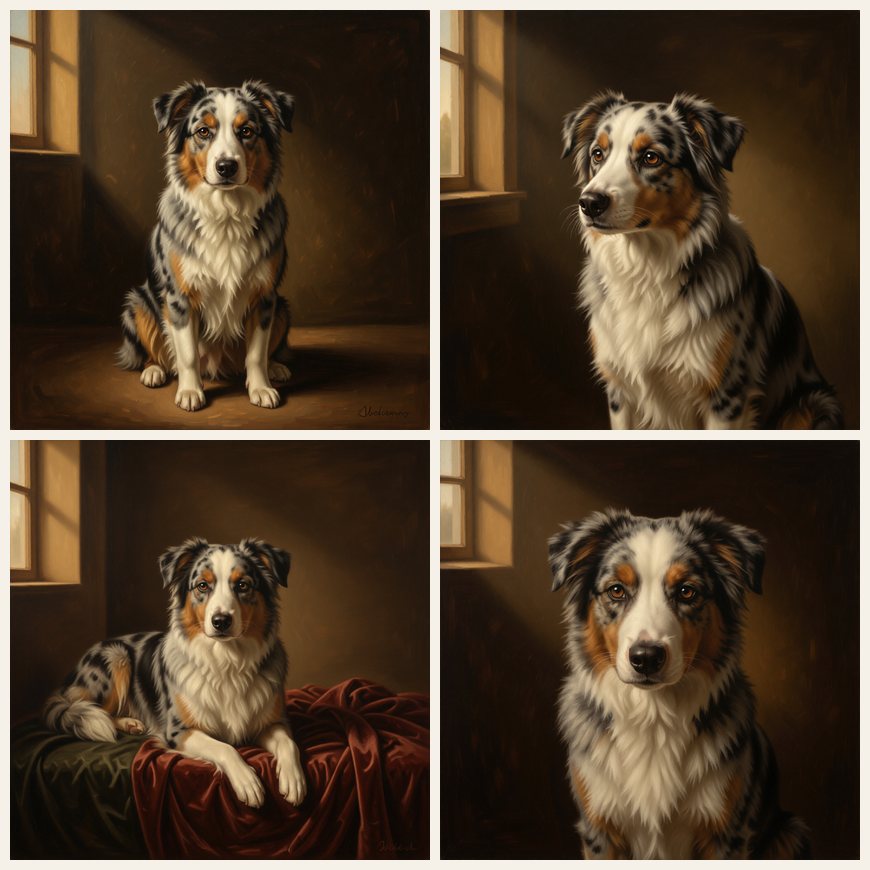
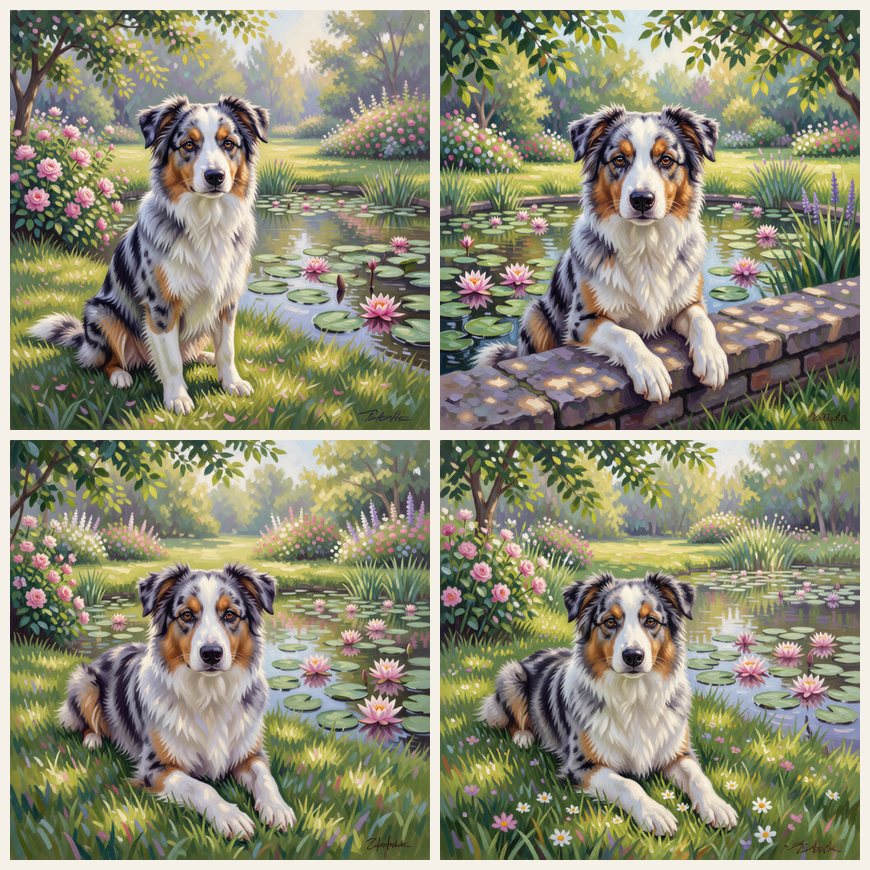
We rendered every option on real photos before shipping it, and one thing stood out: poses that change the body or the framing show up clearly, while tiny head turns and tilts often don't. A model asked for "a slight head tilt" tends to keep the head the way it was in your photo. So the Studio sticks to poses you will actually see.
Motifs, not palettes
Some styles are defined by their colours. Art Deco is black, emerald and gold; Gilded Ornament is gold leaf; Christmas is a lit fireplace and tree. In those, the background options change the pattern and the scene rather than swapping the whole palette — a gold sunburst, a chevron lacquer panel, a geometric peacock — so the style still looks like itself.
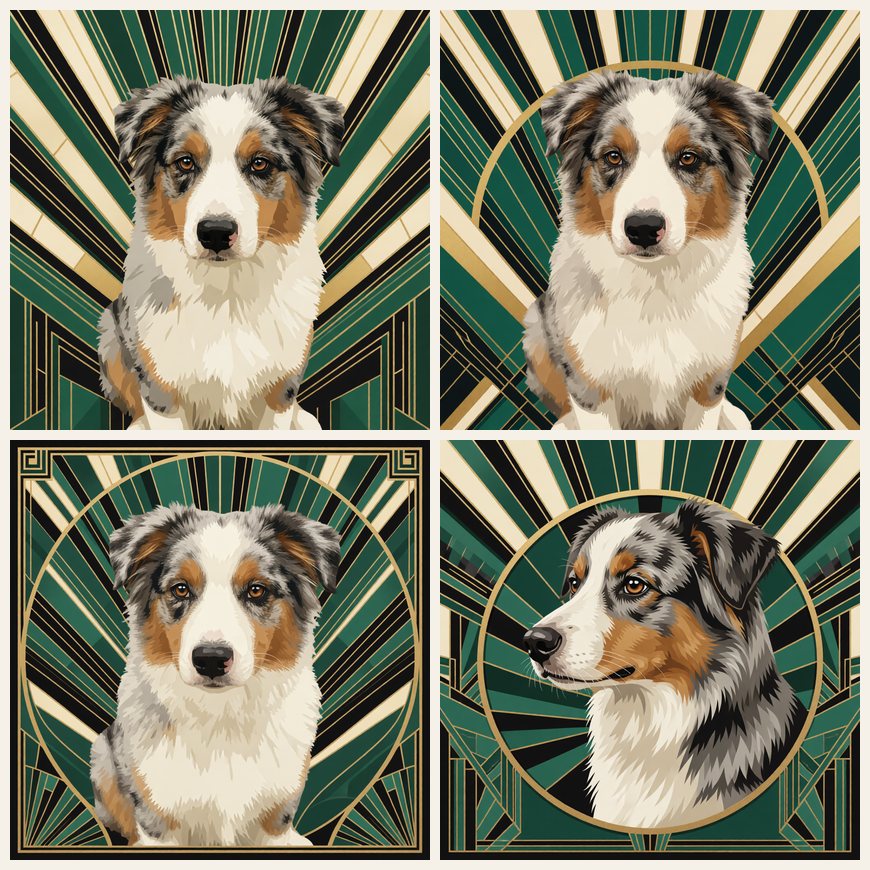
Style by style: what to pick
| Style | Backgrounds to try | Poses to try |
|---|---|---|
| Renaissance Oil | Green velvet drape, Hazy loggia view, Palace window | Close bust, Side turn, Reclined study |
| Royal Court | Marble colonnade, Tapestry wall, Throne room | Regal portrait, Close bust, Court profile |
| Golden Age | Candlelit chamber, Burgundy curtain, Stone niche | Lit profile, Cushion repose, Quiet study |
| Watercolor | Autumn leaves, Seaside blues, Flower garden | Close bust, Ledge peek, Resting paws |
| Monet Garden | Wisteria bridge, Poppy meadow, Rose arbor | Over the garden wall, Head on paws, Standing in profile |
| Nordic Minimal | Linen wall, Quiet window, Oak bench | Quiet profile, Window gaze, Soft loaf |
| Vintage Film | Sunlit porch, Plaid picnic, Wood-paneled den | Family portrait, Looking up, Rug rest |
| Black & White | White high-key, Dark brick wall, Window shadow | Head tilt, Looking up, Profile in light |
| Pop Art | Yellow starburst, Split colors, Comic burst | Ledge peek, Sphinx rest, Play bow |
| Art Deco | Gold sunburst, Chevron lacquer, Geometric peacock | Medallion profile, Sphinx rest, Symmetric front |
| Gilded Ornament | Tree of life, Poppy garden, Silver & blue | Head on paws, Ledge peek, Iconic front |
| Christmas | Gift pile, Knit blanket, Warm fireplace | Cozy lying, Ledge peek, Gift curiosity |
How to get the best result
- Start from a clear, front-facing photo in good light. The Studio changes the scene around your pet, not how well the original photo shows their face.
- Pick the pose first if you have a favourite: lying down, side profile and peeking over a ledge change the picture most.
- Match the background to where it will hang. Quiet backgrounds (linen wall, paper wash, amber ground) sit well in a living room; bold ones (yellow starburst, gold sunburst) suit a hallway or a gift.
- Try two or three combinations. The preview is free, and a different background or pose often changes the feel more than a different style does.
What it costs and what you get
Studio choices don't change the price. You still preview for free, and you only pay if you want the high-resolution file — $3.99 for a single portrait — or a printed version. A framed 12×16" print is $79 for the US and Canada. If the result doesn't look like your pet, email us within 48 hours and we'll remake it or refund it.
The Studio is available in the English version of the site today. Open the portrait studio, upload a photo, choose a style, then pick a background and a pose.
PetMona turns a clear pet photo into wall-ready art — ship an 8×10″ print or unlock HD to gift yourself. Free preview, no subscription.
How to direct your pet's portrait in the Pet Portrait Studio
- Upload a clear photo. Use a front-facing photo in good light so the face and markings are easy to read.
- Choose a style. Pick one of the twelve styles that offer Studio options, such as Renaissance Oil, Monet Garden or Art Deco.
- Pick a background. Open the optional studio direction and choose one of the five backgrounds written for that style.
- Pick a pose. Choose one of the five poses. Lying down, side profile and peeking over a ledge change the picture most.
- Preview and compare. Generate the free preview, then try another combination before you unlock the one you love.
Frequently asked questions
Does choosing a background or pose cost extra?
No. Studio choices don't change the price. You preview for free and pay only to unlock the high-resolution file ($3.99 for one portrait) or order a print.
Will my pet still look like my pet?
The Studio changes the scene and the pose, not the pet. Face, markings, coat colour and expression come from your photo. If it doesn't look like them, email us within 48 hours for a free remake or refund.
Why don't small head tilts show up?
In our tests, poses that change the body or the framing (lying down, side profile, peeking over a ledge, close bust) show clearly, while slight head turns often keep the head as it was in your photo. The Studio only offers poses we verified.
Is the Studio available in other languages?
Today the Studio options appear in the English version of the site.